Tampilkan postingan dengan label best. Tampilkan semua postingan

Samsung Galaxy Tab 8 9 The best tablet option


The Samsung Galaxy Tab 8.9 is now available in the Philippines. Two versions are available:

16GB, WiFi & 3G - Php24,500
32GB, WiFi & 3G - Php30,000

These prices make it the cheapest dual-core 3G capable tablet in the Philippines. Hardware wise, we also think it could the best, depending on your needs. 

The Samsung Galaxy Tab 8.9 has the specifications of you basic Android 3.0 (Honeycomb) dual core tablet. It has a 800 x 1280 screen, a dual core 1GHz processor on a Tegra 2 chipset, 1GB of RAM, 16GB or 32GB (non-expandable storage), A-GPS, WiFi,  3G (HSDPA+ 21.1 mbps) and Bluetooth,  connectivity and HDMI and USB connectivity through an adapter. It also comes with two cameras capable of 720p video recording. It also has full phone functionality. So it is the most fully feature tablet in the Philippine market.

What is to like, hardware wise? The Samsung Galaxy Tab 8.9 has a smaller 8.9-inch screen compared to its competitors, but this also gives it a much lighter weight.

Samsung Galaxy Tab 8.9 - 453g
Samsung Galaxy Tab 10.1 - 560g
Apple iPad 2 - 607g
Acer Iconia - 730g

We also like it best price wise for a 3G tablet.

Samsung Galaxy Tab 8.9 16GB, 3G & WiFi - Php24,500
Samsung Galaxy Tab 10.1 16GB, 3G & WiFi - Php27,500
Samsung Galaxy Tab 8.9 16GB, 3G & WiFi - Php30,000
Apple iPad 2 16GB, 3G & WiFi - Php30.990
Apple iPad 2 16GB, 3G & WiFi - Php35.990

Smaller but still substantial screen, in exchange for the lighter weight seems to be worth it. It is 15% lighter than its bigger brother, the Samsung Galaxy Tab 10.1 and 25% lighter than the Apple iPad 2. 

Ultimately, 10-inch tablets are used on tables the same way we use netbooks and laptops. If used a tablet on a table, I really would much rather use a laptop. The Samsung Galaxy Tab 8.9 is a more mobile device. Something which is easier to use in hand than its larger 10.1-inch siblings.

With Ice Cream Sandwich having been launched, more and more Android apps will be optimized for 720p screens. It could be the right time for an Android tablet.

Would I buy it? Well no. I do not feel the need for 3G on a tablet. I already have it on my phone. Basically, I would rather not have to maintain a second line. Since I do not appreciate 3G, than things like Apple iPad 2 16GB WiFi only version is still a cheaper option at Php23,990. I also do not need full phone functionality on a tablet, so that score no points we me either.

Second, I do not like being an early adopter. Ice Cream Sandwich has been launched so more and more Android apps will be optimized for 720p screens, but I will have to wait for those. Apple has 100,000 tablet optimized apps now, though they usually cost twice as much as iPhone apps.

So it is a hard choice. The Samsung Galaxy Tab 8.9 is compelling hardware wise and there are more free apps on the Android Market. It is both a tablet and a phone is that is important for. But for a pure tablet, Apple iPads are still the safer bet. For Php24.5K, I would not want to be an early adopter.

Read More..

iPhone NEWS Best Buy Prepping for Sprint iPhone Deutsche Telekom Accepting Preorders

Best Buy Prepping for Sprint iPhone, Deutsche Telekom Accepting Preorders?

Usually by this point in September, the rumor mill would be in overdrive churning up advance word about a new iPod touch or maybe new iTunes features, but this year is different. With the iPhone 5 pushed from its usual early summer release, all eyes are focused on the new handset, which seems to be popping up everywhere except from Apple themselves. BGR is reporting that Sprint will get the iPhone 5 when its released in October — or at least, somebody at Best Buy believes that will be the case, thanks to a new internal memo that has leaked about the fifth-generation Apple handset.

Original post:
Best Buy Prepping for Sprint iPhone, Deutsche Telekom Accepting Preorders?


Read More..

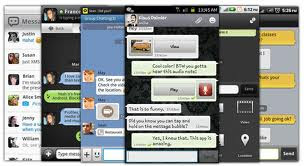
best android messaging app for Samsung Galaxy mini

best android messaging app for Samsung Galaxy mini

Best SMS messaging app for Android
75% of my phone use is attributed to text messaging. So I recently downloaded Handcent and Im liking it a lot. Its a lot better than the bland default messaging application. I really like how customizable it is. My only gripes are that I wish I could change the physical Handcent icon itself and maybe rename it to "Messaging" or something, also wish the reminder notifications had a few more options. Other than that its a great app.

Any other good or better apps out there for text messaging?


best android messaging app for Samsung Galaxy mini


I dont know if youve tried ChompSMS, but I like it better than Handcent. I honestly liked the features, design and layout of Handcent better, but it constantly froze my on-screen keyboard, or the application would slowdown, hang or crash. Ive been using Chomp since I removed Handcent, and even though the colorful chat bubbles are #$*^ing annoying, its much more stable.

best android messaging app for Samsung Galaxy mini
If you need to reset the shortcuts target, you have to go into application settings and use the "Clear Defaults" button on Handcent. After that, clicking the normal messaging icon should yield a popup asking which app you would like to use. Im pretty sure this should work.

download best android messaging app for Samsung Galaxy mini
Read More..

Movavi The Best Video Converter Software to Download

Are you looking for the best video converter software in the internet? Well it’s time to use the most popular and the best video converter called Movavi which was established in 2004. It is latest and best leading software available in the market (for free download) which  can convert any kind of videos into most popular video formats like MP3, MP4, AVI, MKV, 3GP, VOB, MOV, WMV, MPEG, ASF, DAR, FLV, MOD, M2T, MOD, IFO, MTS and DIVx.

Movavi Video Converter also supports different devices like Apple iPad, iPod, iPhone, Sony PSP, Blackberry, Nokia, Android , HTC and Samsung. It has a bunch of editing tools using which you can edit yours favorite video and audio files and also extra effects like rotate, crop,watermark etc.

Also you can enhance the video quality by adjusting the brightness and contrast levels. It is totally optimized for NVIDIA CUDA™ GPUs and Intel  multi-core CPUs and delivers 800% performance boost when used with them.

Clearly optimization as such on latest hardware will save tons of your time converting videos. This software is highly critically acclaimed and is getting a lot of +ve reviews than any video converter available in the market.
By using this video converter you can convert videos for almost everything,be it your smartphones to play high definition(HD) movies. Some other useful software like Movavi Video Suite, Movai Photo Suite, Movavi Video Converter 3D, Movavi Video Editor and Movavi SWF to Video Converter are also offered by the same brand.

1. Movavi Video Editor:This video editor is very helpful for users to edit their own videos by adding extra sound effects and subtitles text, apply filters, artistic effects and add final transitions.

2. Movavi Video Converter 3D: This software helps to convert all 2D videos into 3D videos and play it on large LCD screen for more entertainment.

3. Movavi Screen Capture:  It can mainly be used to capture screencasts without any loss of quality.

4. Movavi Video Suite: It is also called as All in one Video Processing Suite which helps to edit, enhance, convert, burn the video into the Blue-ray Disc and DVD’s.

5. Movavi SWF to Video Converter: Convert the SWF files into playable video format on Windows, Mac and Linux Operating Systems.

So thats it, thats our take on the Movavi softwares,do u have any good or bad experience using them ? if so please do share with us.

Read More..

The best properties of the iPad

Enjoy the best properties of the iPad


He shows the video features
Read More..